

Internet radio has been around for decades — but the channels that are actually growing audiences in 2026 are the ones that have moved beyond audio-only platforms and set up a visual presence on YouTube.
A YouTube live stream for an internet radio station gives you a video platform’s discoverability, YouTube’s recommendation algorithm, and the ability to monetize your broadcast — all while running the same continuous audio programming you already produce.
This guide covers the complete live streaming setup for internet radio stations on YouTube — from converting your audio broadcast to a video format to keeping it online 24/7 without a studio PC running around the clock.
Why Internet Radio Stations Are Moving to YouTube Live
Traditional internet radio platforms — TuneIn, iHeartRadio, SoundCloud — have massive libraries but limited organic discovery. A listener has to already know you exist to find you. YouTube changes that equation entirely.
YouTube’s search engine is the second-largest in the world. When someone searches “jazz radio live stream” or “reggae music 24/7” or “underground hip hop radio,” a well-set-up YouTube live stream for an internet radio station appears in those results. Your audio platform doesn’t.
Beyond discovery, the watch-time accumulation on a 24/7 radio stream on YouTube is exceptional. A listener who has your station playing for 4 hours while working is generating 4 hours of watch time — far above the YouTube average. This is exactly the signal YouTube’s algorithm uses to push channels into more recommendations.
The mechanics of streaming continuous audio content as a YouTube live stream are covered in our full guide on how to stream pre-recorded videos live on YouTube.
What You Need for an Internet Radio YouTube Live Stream
1. Your Audio Content
Your existing radio programming is your content. The question is format: are you broadcasting a curated music playlist, a DJ-hosted show, a talk radio format, or a combination?
For a YouTube live streaming setup for internet radio, you typically convert your audio broadcast into a looping video file that plays continuously on YouTube. This works best when:
- You have a prepared playlist or set recorded in advance (or in real-time and converted)
- Your station has a consistent genre or format that a YouTube audience can search for
- Your music is properly licensed for YouTube live streaming
Music licensing note: Internet radio licenses (SESAC, ASCAP, BMI blanket licenses) do not automatically cover YouTube live streaming. YouTube has its own content relationships with rights holders, and unlicensed music will be caught by Content ID. Many internet radio stations on YouTube use original music, production library music (licensed for YouTube), or Creative Commons tracks to avoid this complication.
2. A Visual Layer
Your audio needs a visual wrapper to live on YouTube. Options for internet radio stations:
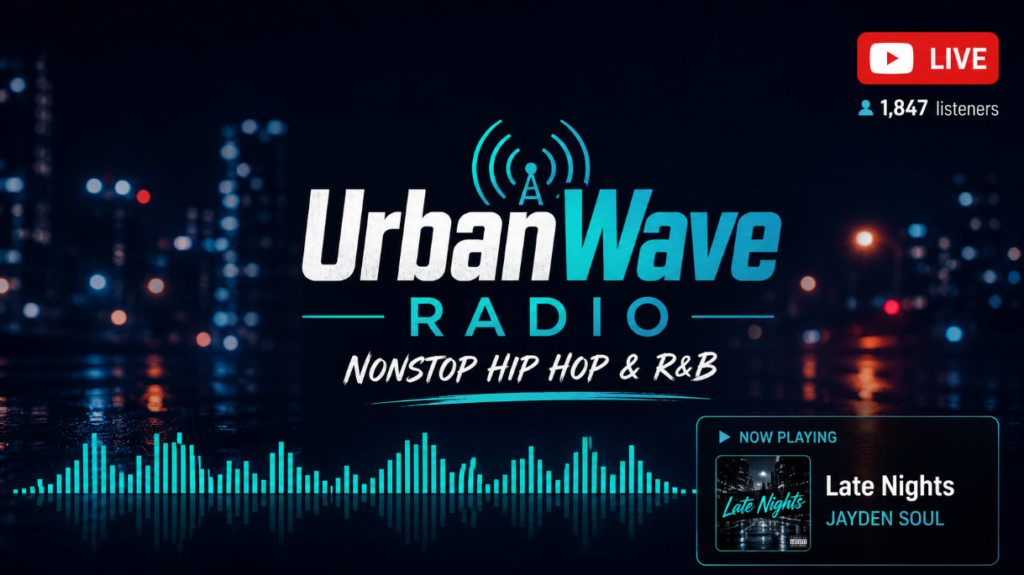
Station branding card. Station logo, current show title, genre tags, and a live audio visualizer (waveform bars that pulse with the music). This is the standard internet radio YouTube visual and is easily produced.
Now Playing overlay. A dynamic visual that shows the current track title and artist as the playlist progresses. Tools like OBS or streaming software can pull track data and display it live. For a pre-recorded loop, this requires building track metadata into the video edit itself.
Ambient video background. A slow-motion or looping video background that matches your station’s genre aesthetic — a jazz club for jazz radio, a city skyline for urban formats, a mountain landscape for acoustic/folk. More visually engaging than a static card and performs better in YouTube recommendations.
3. Your Loop Video File
Combine audio and visual into a single MP4. For internet radio:
- Format: MP4, H.264, AAC
- Resolution: 1920×1080
- Audio bitrate: 320 Kbps stereo — audio quality is the product
- Video bitrate: 3,000–4,500 Kbps (lower is fine for visually static content)
- Duration: 2–6 hours minimum
Streaming Platform Options for Internet Radio on YouTube
OBS Studio
OBS can stream audio content to YouTube with a branded visual. For internet radio, OBS can pull a live audio feed and stream it in real time — this is how many radio stations first set up their YouTube presence. The limitation remains the same: your PC or broadcast computer must stay on. For a station that already has dedicated broadcast hardware running 24/7, OBS is a viable add-on. For stations without dedicated hardware, it adds a point of failure.
Icecast + FFmpeg
Many internet radio stations already run Icecast servers for audio distribution. You can use FFmpeg to take an Icecast stream as input and push it to YouTube RTMP simultaneously — effectively simulcasting your existing radio stream to YouTube in real time. This is the most technically elegant solution for stations with existing infrastructure but requires server-side configuration.
VPS + FFmpeg (Pre-Recorded Loop)
For stations that want a 24/7 YouTube presence from a pre-recorded loop, a VPS running FFmpeg is a reliable cloud option. Requires Linux knowledge to set up and maintain.
StreamKite
For an internet radio station that wants a YouTube live streaming setup without dedicated broadcast infrastructure, StreamKite is the fastest path. Upload your pre-recorded program loop, paste your YouTube stream key, and the station is live on YouTube — running in the cloud, with automatic reconnection, from any browser. Perfect for smaller stations and solo station operators who don’t have full-time technical staff.
Step-by-Step: Setting Up Your Internet Radio YouTube Stream
Step 1 — Prepare Your Program Loop
Record or compile your station’s programming into a single MP4. Include your station ID (“You’re listening to UrbanWave Radio — nonstop hip hop and R&B”) at the start and at regular intervals throughout the loop. Add your visual layer. Export at 1080p H.264 + AAC 320 Kbps.
Step 2 — Configure YouTube Studio
Create a persistent live stream in YouTube Studio. Title it with your station name and genre: “UrbanWave Radio — 24/7 Hip Hop & R&B Live Stream.” Write a detailed description including your station’s history, format, and the music genre keywords your audience searches. Copy your persistent stream key.
Step 3 — Launch on StreamKite
Log in at streamkite.live with your PassKey. Upload your program loop, paste your YouTube stream key, set 1080p at 3,500 Kbps, and start. Your station is now broadcasting on YouTube — continuously, from the cloud, without your local hardware involved.
Growing Your Radio Station’s YouTube Presence
Use genre-specific YouTube tags. Add tags like “jazz radio,” “24/7 hip hop,” “underground rap stream,” “R&B radio live” — whatever matches your format. Tags aren’t as powerful as titles and descriptions for YouTube SEO, but they contribute to topic categorization.
Pin a tracklist comment. Update a pinned comment each time you update your loop video with the current playlist. Listeners who want to know what’s playing will check the comments first — giving them an answer turns a frustrated user into a satisfied one who stays listening.
Promote on music communities. Reddit’s genre-specific subreddits (r/hiphopheads, r/jazz, r/electronicmusic), Discord music servers, and Twitter/X music communities are where your target audience already gathers. Share your stream link with genuine context about your station’s format and programming.
Update your loop monthly. Fresh programming signals to YouTube that your station is active. Listeners who return weekly notice when the playlist has been refreshed — it’s what makes the channel feel like a real radio station rather than an abandoned loop.
Common Mistakes for Internet Radio YouTube Streams
Using commercially licensed radio music without YouTube-specific rights. Your SoundExchange or PPL digital radio license covers audio streaming on radio platforms — it does not cover YouTube live streaming. YouTube’s Content ID operates independently and will claim or mute tracks it recognizes. Solve this before launching.
No station ID in the audio. Radio stations identify themselves regularly — “You’re listening to [Station Name].” Your YouTube stream should do the same. Include station IDs at the top of the loop and every 30–60 minutes throughout. This reinforces the brand and tells new listeners exactly what they’re tuned into.
Generic or unclear stream title. “Music Live” tells YouTube nothing. “Smooth Jazz Radio — 24/7 Live Stream” tells YouTube the genre, format, and audience. Keyword-rich titles are how you get discovered by listeners who don’t know your station yet.
Not checking audio sync after export. When combining audio and video in a video editor, especially with long files (3+ hours), audio drift can occur — the audio gradually falls out of sync with any visual elements that need to match it. Always check audio sync at multiple points throughout a long loop video before uploading.
Comparison: Streaming Options for Internet Radio
| Feature | OBS Studio | Icecast + FFmpeg | StreamKite |
|---|---|---|---|
| PC/server required | ✅ Yes | ✅ Server required | ❌ No |
| Live real-time broadcast | ✅ Yes | ✅ Yes | Pre-recorded loop |
| Auto-reconnect | ❌ Limited | Manual | ✅ Yes |
| Setup difficulty | Medium | High | Very Easy |
| Best for small stations | Limited | Only with tech skill | ✅ Yes |
| Cost | Free + electricity | Server cost | Affordable |
FAQ — YouTube Live Streaming for Internet Radio Stations
1. Can I simulcast my existing internet radio stream to YouTube?
Yes. If your station already streams via Icecast or Shoutcast, you can use FFmpeg to take that stream as input and push it to YouTube’s RTMP endpoint simultaneously — broadcasting to both your existing radio audience and YouTube at the same time. This requires server-side FFmpeg configuration but is a clean solution for stations with existing infrastructure.
2. Do I need a separate license to stream my radio music on YouTube?
Yes. Radio streaming licenses (SoundExchange in the US, PPL in the UK, etc.) cover digital audio streaming on licensed audio platforms. YouTube live streaming is a separate category and requires either a YouTube-compatible music license or content that is original, royalty-free, or under Creative Commons. YouTube’s Content ID will enforce rights automatically regardless of what licenses you hold elsewhere.
3. How do I handle DJ sets on my YouTube radio stream?
DJ sets contain the same licensed music issues as regular playlists — each track in the mix is individually subject to Content ID. The safest approaches are: DJ sets composed entirely of original productions, sets from producers who have explicitly cleared YouTube use, or working with a label that manages YouTube rights for their roster and can whitelist your channel.
4. What video bitrate should an internet radio station use on YouTube?
For a visually static or minimally animated broadcast frame, 3,000 Kbps at 1080p is sufficient and compresses cleanly. For a more dynamic visual background (slow-motion video, animated elements), use 4,500 Kbps. Audio bitrate should always be 320 Kbps stereo — audio quality is the core product of a radio station and should never be the thing you compress.
5. Can I display the current track name in a YouTube live stream loop?
With a pre-recorded loop video, yes — if you build the track name overlay into each segment during editing. With a live streaming setup (OBS + a real-time audio source), you can use OBS’s browser source to pull a “Now Playing” overlay from your station’s metadata API. For a StreamKite pre-recorded loop, build track titles into the video as overlay text during the editing stage.
6. How do I grow from 0 listeners on YouTube as a new radio station?
Start with community promotion in genre-specific spaces: subreddits, Discord servers, Twitter/X music communities. Collaborate with artists whose music features on your station — they often share stream links to their own audiences. Consistency is essential: a station that’s always live and regularly updates its programming builds word-of-mouth that generic upload channels can’t replicate.
7. How long should my internet radio loop video be?
4–8 hours is the practical sweet spot. Short enough to feel like a curated program, long enough that a listener spending an entire workday with your station (6–8 hours) doesn’t hear the same set twice. Update the loop at least monthly to keep programming fresh for return listeners.
8. Can I run a 24/7 talk radio format on YouTube without music?
Yes. Talk radio loops — episodes of analysis, interviews, commentary, or discussion — work well on YouTube and have zero music licensing complications. The format performs particularly well in niche communities (political analysis, sports commentary, tech discussion) where the audience actively searches for opinion content in their area of interest.
Launch Your Internet Radio Station on YouTube Today
Your station’s programming is ready. The audience on YouTube is searching for exactly what you broadcast. The only thing between your station and a 24/7 YouTube presence is the streaming setup.
StreamKite lets you run a 24/7 live stream from any device without keeping your PC on. No technical knowledge needed. Setup takes under 5 minutes.
Start your 24/7 loop stream today
Run a nonstop YouTube live stream from any device.
No PC required. No technical knowledge needed.
